Comparison · 2026
Userscom vs Crisp
Both target smaller teams than Intercom. Crisp leans chat + CRM/campaign extras. Userscom leans helpdesk + AI organisation + billing actions. The gap shows up most in AI pricing and payment workflows.
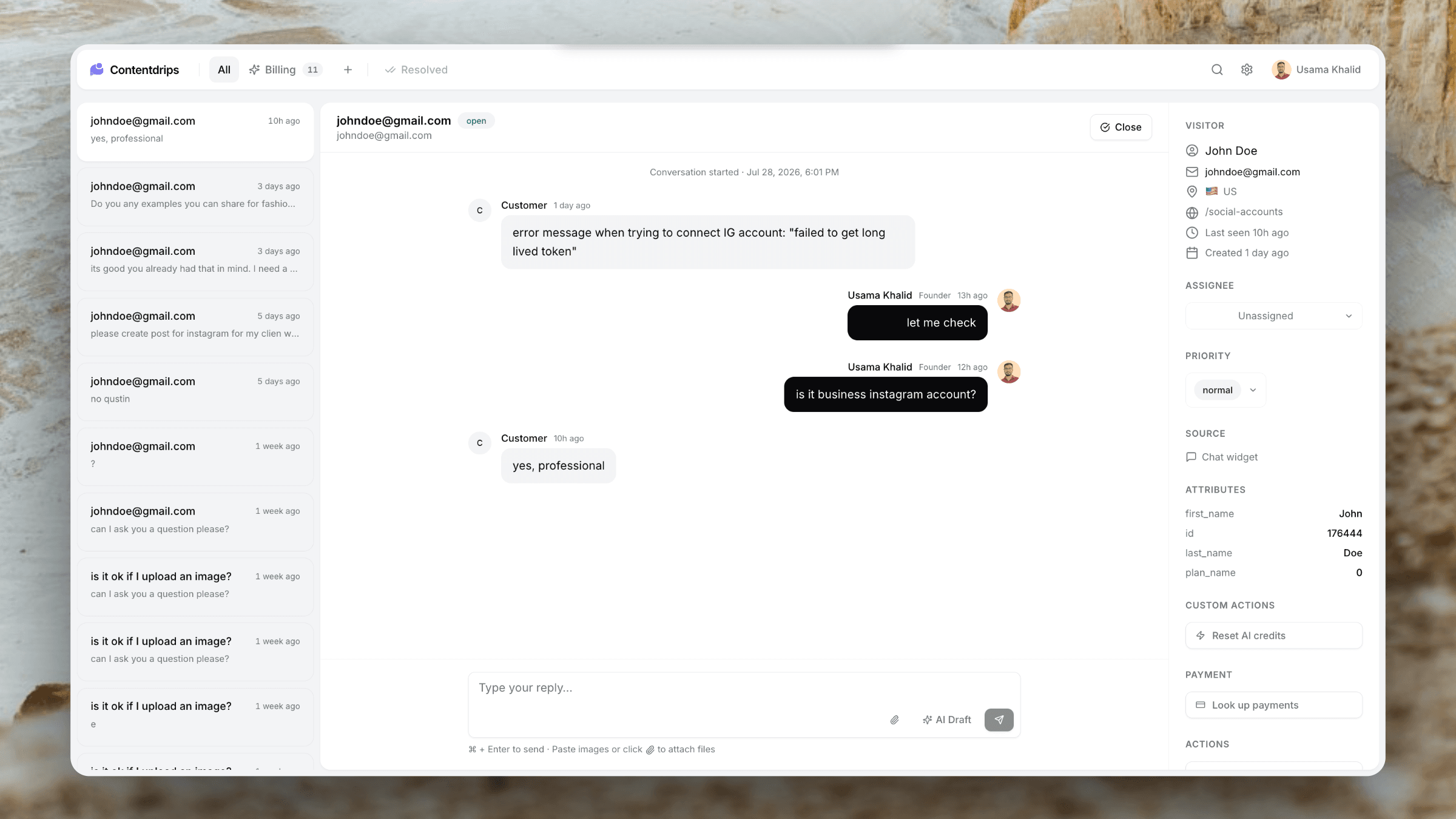
Userscom
Helpdesk-first: AI tabs and drafts from $20, Stripe/Paddle, sub-30 KB widget, flat member limits.
Crisp
Chat-first platform with CRM/campaign extras. AI features like MagicReply often sit on higher Unlimited-style plans.
Crisp homepage · visit site
How these tools actually differ
Crisp built a polished messenger that many SaaS teams love. Over time it added campaigns, chatbots, and CRM-ish surfaces. That makes Crisp feel like a mini growth suite — useful if you want messaging plus light marketing in one place.
Userscom is narrower: reactive support. Visitors chat or email; tickets land in a shared inbox; AI sorts tabs and drafts replies; agents can refund in Stripe/Paddle or run Custom Actions. Campaigns and chatbot funnels are out of scope.
If your main pain is “support is messy and expensive,” Userscom usually fits. If your main pain is “we need chat plus outbound/CRM in one UI,” Crisp is stronger.
Feature comparison
Honest side-by-side on what most teams evaluate first.
| Feature | Userscom | Crisp |
|---|---|---|
| Entry paid price | From $20/mo | From ~$25/mo |
| AI drafts / triage on mid tier | Included from Starter | Often higher tiers (~$95 Unlimited) |
| Widget weight | Under 30 KB | Heavier SPA chat |
| Shared inbox | ||
| Campaigns / chatbots focus | ||
| Stripe / Paddle in-ticket | ||
| Custom Actions | ||
| Email ticketing | ||
| Free plan without forced branding | ||
| Flat team pricing | Plan-dependent seats |
Where the AI bill shows up
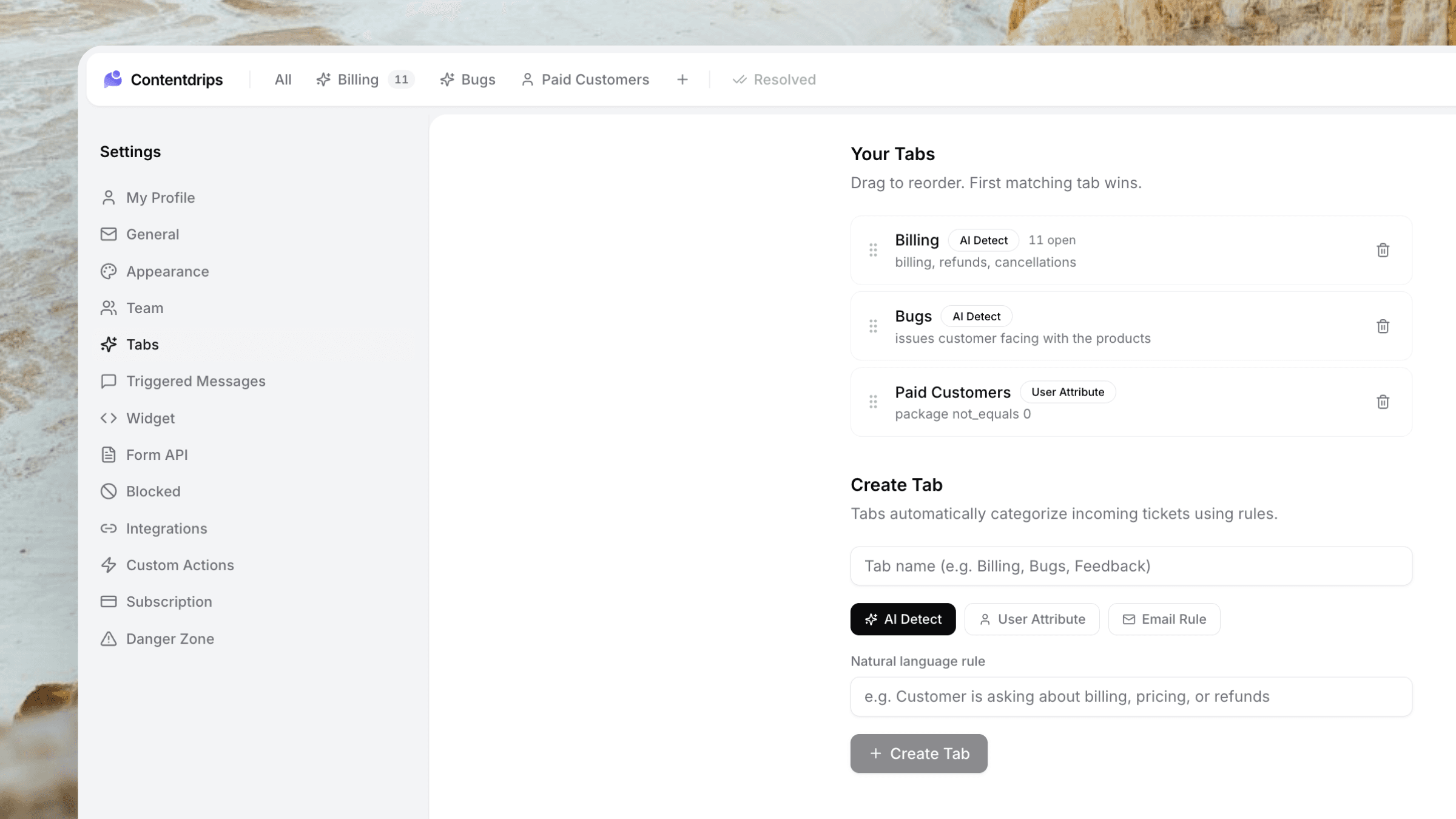
Userscom includes AI ticket organisation and draft replies from the $20 Starter plan. You are not forced onto a $95 tier to get draft assistance.
Crisp’s lower tiers cover solid chat. MagicReply-style AI and smarter triage are commonly associated with Unlimited (~$95/mo for larger seat packs). Teams that “just wanted AI drafts” often discover the real bill after signup.
Compare apples to apples: price the plan that includes the AI features you will actually use, not the teaser tier.
When to choose which
Choose Userscom if…
- You want AI drafts/tabs without jumping to a $95 plan
- Billing tickets need Stripe or Paddle actions in-inbox
- You prefer a lighter widget for SEO/performance
- Support is the job — not campaigns
- Flat $20–$40 pricing matches your stage
Choose Crisp if…
- You love Crisp’s messenger UX already
- Campaigns/chatbots are part of the same workflow
- You are okay paying Unlimited for AI
- You want a broader mini-CRM around chat
- You do not need native Paddle/Stripe refund panels
Real-world scenarios
Inbox volume jumped after Product Hunt
Userscom’s AI tabs help separate Billing vs Technical vs Feedback before a human opens the queue. Crisp handles volume well too; AI assist may require the higher plan.
You run Paddle Billing
Userscom can look up the buyer and refund/cancel inside the ticket. Crisp remains a strong chat layer, but payment actions stay in the Paddle dashboard unless you build glue.
You want to message inactive trial users
Crisp’s campaign-oriented features are closer to that job. Userscom is built for inbound support, not outbound nurture.
The bottom line
Choose Crisp if you want their chat UX and growth/CRM extras. Choose Userscom if AI organisation/drafts and payment actions matter on day one at a lower flat price — without buying a marketing suite you will not use.
FAQ
Entry Crisp can look similar on paper, but AI features often push Crisp well above Userscom’s $20–$40 plans. Compare the AI-included tiers.
Userscom — native Paddle Billing and Classic actions in the ticket.
No. If campaigns are critical, keep Crisp or use a dedicated marketing tool alongside Userscom for support.
Swap the widget script, reconnect your support email if needed, and export/import history where available. Most small teams migrate in a day.
Userscom targets under 30 KB. Crisp’s chat is a fuller SPA and typically heavier — check your own Lighthouse scores after install.