Stripe Integration · Customer Support
Handle Stripe refunds without leaving the ticket.
Userscom connects to Stripe. When a customer opens a billing ticket, see their subscriptions and charges, issue a refund, or cancel — all in one place. No Stripe Dashboard tab-switching.
Free plan available · 2-minute setup · No credit card
The workflow
From “I want a refund” to refund issued — in one tab.
Before Userscom, you'd open the ticket, then open the Stripe Dashboard, search for the customer, find the charge, click refund, come back. Now that whole thing happens inside the ticket.
Customer opens a billing ticket
A customer messages about a charge or wants to cancel. Their ticket lands in your Billing tab, already sorted by AI.
Open the payment panel
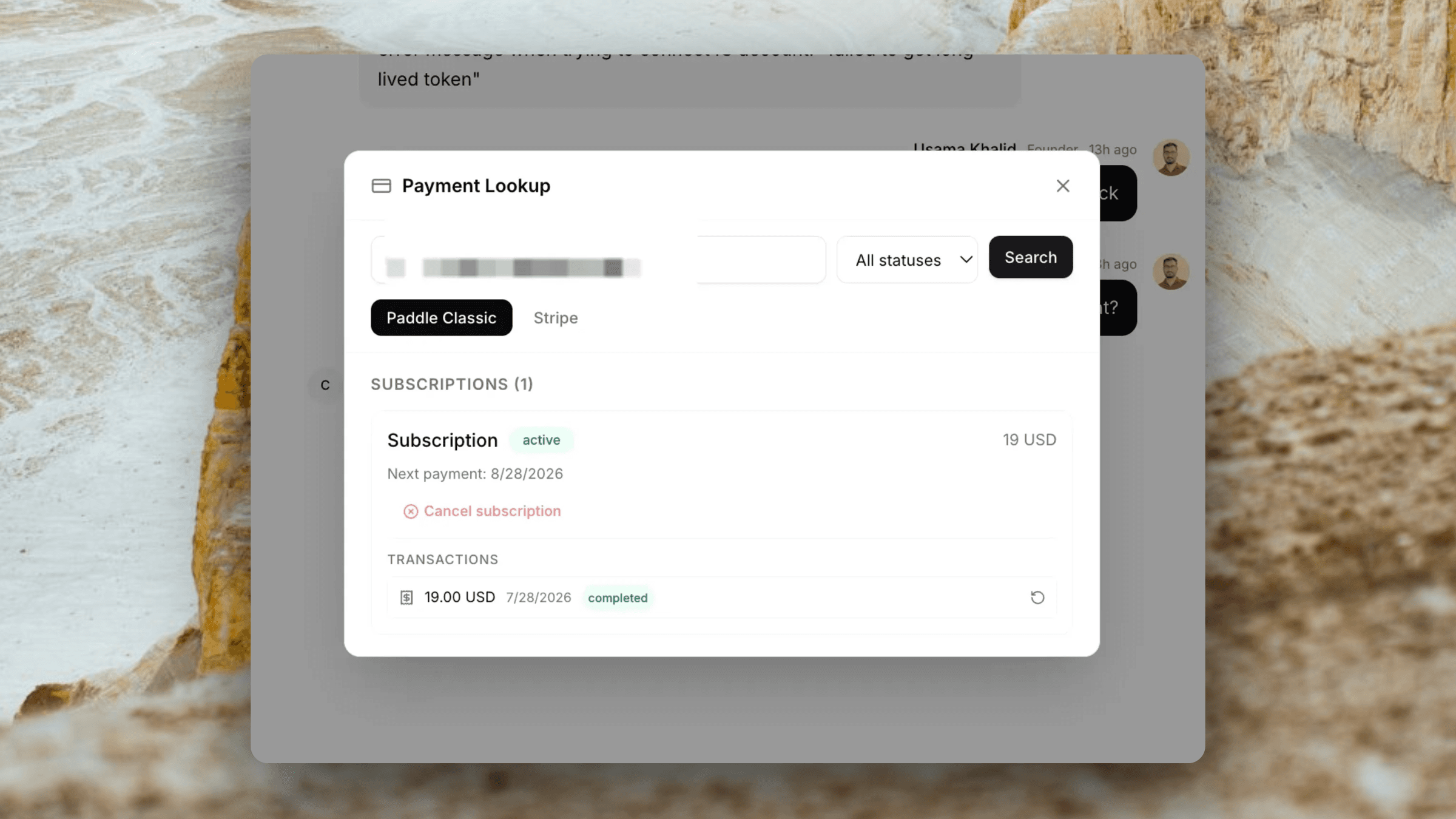
Click the payment icon inside the ticket. Look up their Stripe account by email — subscriptions, charges, and status appear instantly.
Act without switching tabs
Issue a refund or cancel the subscription from the panel. Confirm with one click. You never touch the Stripe Dashboard.
Capabilities
Everything you need to handle Stripe billing support fast.
Customer lookup by email
Type the customer email inside any ticket and instantly pull their Stripe account — name, email, and all associated subscriptions and charges.
View subscriptions & charges
See all subscriptions with plan names, amounts, billing intervals, and status (active, canceled, past due, trialing). View the 20 most recent charges with amounts and dates.
Issue refunds in one click
Select any charge and issue a full refund from inside the ticket. Confirm with a single click. No need to find the charge in the Stripe Dashboard.
Cancel subscriptions
Cancel a customer's subscription directly from the ticket panel. Cancellation takes effect at the end of the current billing period — safe and predictable.
Works alongside Paddle
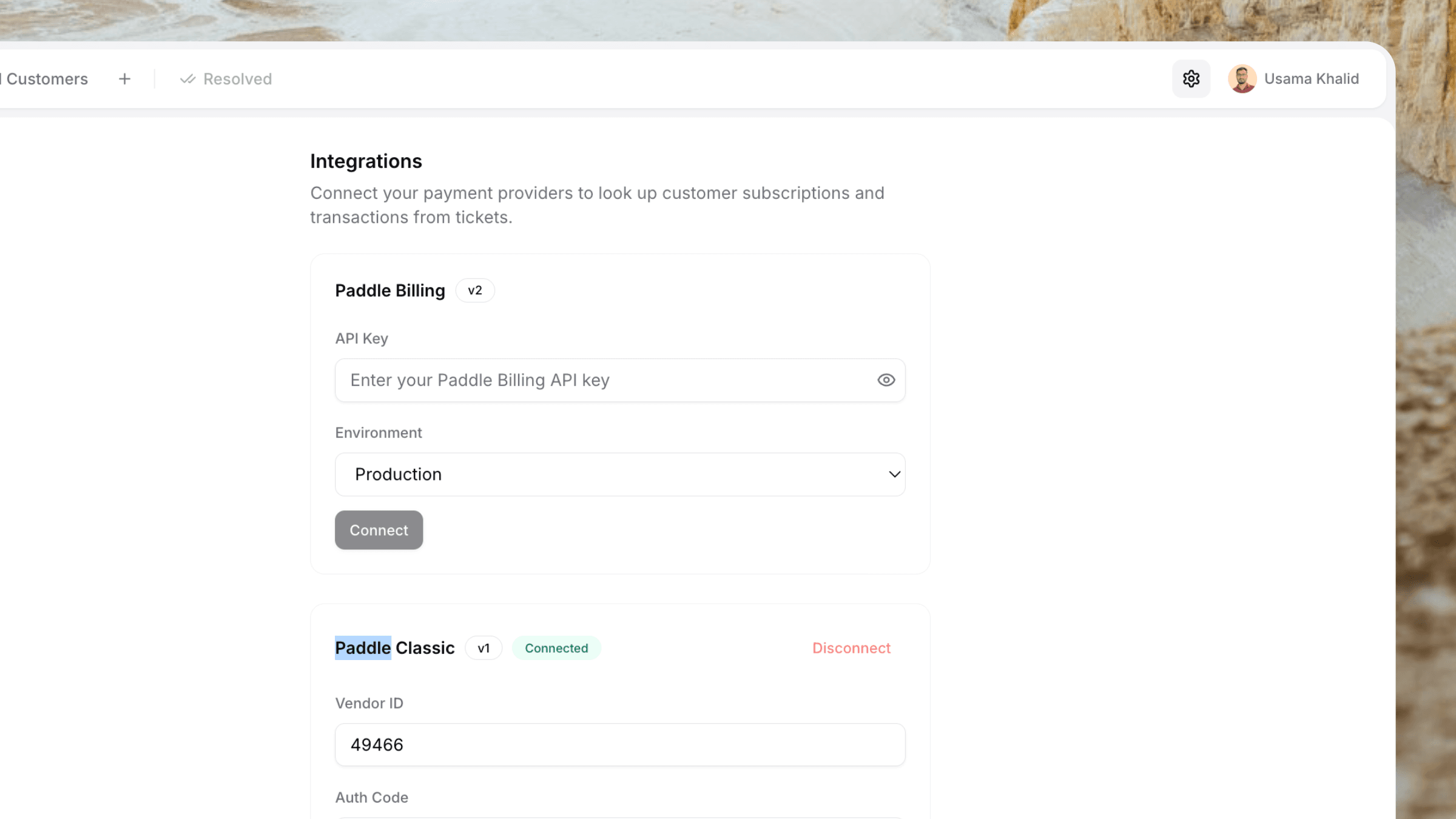
Selling through multiple processors? Connect Stripe and Paddle (Billing or Classic) at the same time. Switch between providers inside the same ticket panel.
Admin-only credentials
Your Stripe Secret Key is stored securely and configured once by an admin. Agents can use the panel without individual Stripe Dashboard access.
Inside the ticket
All the Stripe data you need. None of the noise.
The payment panel shows only what's relevant for support. No analytics dashboards, no developer logs — just customers, subscriptions, and charges.
Subscriptions
- Plan name from the Stripe Product
- Amount, currency, and billing interval (monthly, yearly)
- Status: active, canceled, past due, trialing, paused
- Current period end date
- Cancel-at-period-end indicator
- One-click cancel action
Charges
- Last 20 charges for the customer
- Amount and currency per charge
- Charge date and description
- Status: succeeded, failed, refunded
- One-click full refund on any succeeded charge
- Refunded charges marked clearly
How it looks
The payment panel lives inside every ticket.
No new tabs. No external dashboards. When a billing ticket arrives, click the payment icon in the sidebar. The customer's Stripe data loads in a modal — subscriptions on top, charges below. Refund or cancel with one click.
- Payment icon appears when Stripe is connected
- Customer auto-filled from ticket email
- Switch between Stripe and Paddle in the same panel
- Confirmation step before any destructive action
Billing ticket — Alex M.
BillingStripe · Payment panel
Built for SaaS founders
Your Stripe billing support shouldn't need two browser tabs.
When you're a solo founder using Stripe to bill your SaaS, every billing ticket is a context-switch: support tool, Stripe Dashboard, find the customer, find the charge, refund, come back. Userscom cuts that to one tab. Handle the ticket, look up the Stripe account, issue the refund, close the ticket — done.
Faster resolution
Stop bouncing between tabs. Everything you need to resolve a billing ticket is on one screen.
Less mental overhead
No remembering which dashboard is for what. Open the ticket, open the payment panel, act.
$20/month, not $74
You don't need an enterprise support platform. Userscom gives you what Intercom costs 9x more for — with Stripe included.
Plus everything else
Stripe is one part of a complete support stack.
The Stripe integration sits inside a full customer support product — live chat, AI, and shared inbox included.
Live Chat Widget
~30 KB widget. One script tag. Loads instantly on any site.
AI Ticket Sorting
Billing tickets auto-route to your Billing tab before you open them.
AI Draft Replies
AI reads the ticket and writes a reply. Edit if needed, send in one click.
Stripe + Paddle
Connect Stripe, Paddle Billing, or Paddle Classic — or all three at once.
Customer Context
Pass plan, company, custom attributes — visible on every ticket.
2-Minute Setup
One script tag. One API key. You're live.
Why support teams need a Stripe integration in their helpdesk
Stripe is the most popular payment processor for SaaS businesses. If you're billing customers through Stripe, a significant portion of your support tickets will be billing-related — refund requests, failed payments, subscription questions, double charges, and cancellation requests.
Without a Stripe integration in your helpdesk, every one of these tickets requires you to context-switch: read the support ticket, open the Stripe Dashboard in another tab, search for the customer, find the relevant charge or subscription, perform the action, then switch back to the support ticket to reply. For a solo founder handling 20+ billing tickets a week, that adds up to hours of lost time.
Userscom eliminates this workflow entirely. When a billing ticket arrives, you open the payment panel right inside the ticket. The customer's email is pre-filled from the ticket. One click searches their Stripe account and loads their subscriptions and charges. Another click issues a refund or cancels a subscription. You never leave the ticket.
This isn't a third-party Zapier integration or a webhook that sends data to a separate dashboard. It's a native, first-class feature built into every Userscom plan. Your Stripe Secret Key is stored encrypted and all API calls are proxied through our backend — the key never reaches the browser, and agents don't need individual Stripe Dashboard access.
If you also sell through Paddle, you can connect both. The payment panel lets you switch between Stripe, Paddle Billing, and Paddle Classic inside the same ticket. One support tool, multiple payment processors, zero tab-switching.
Frequently asked questions
You add your Stripe Secret Key in Settings → Integrations. Once connected, a payment panel appears inside every support ticket. Type the customer email, and Userscom looks up their Stripe account — subscriptions, charges, and status appear instantly. You can then refund charges or cancel subscriptions without opening the Stripe Dashboard.
No. Once your Stripe credentials are saved, the payment panel appears inside every support ticket. You look up the customer, see their subscriptions and charges, and trigger a refund — all without opening the Stripe Dashboard.
You can look up a customer by email, view all their subscriptions (active, past due, canceled, trialing), view individual charges with amounts and dates, issue a full refund on any charge, and cancel a subscription at the end of the billing period.
Yes. Your Stripe Secret Key is stored encrypted per organisation and is never exposed in the frontend. Only workspace admins and owners can add or remove Stripe credentials. All Stripe API calls are proxied through our backend — the key never reaches the browser.
Yes. Userscom supports Stripe, Paddle Billing, and Paddle Classic simultaneously. You can connect all three and switch between them inside the same ticket panel. This is useful if you sell through multiple payment processors.
No. The integration is configured once by an admin using your existing Stripe Secret Key. All team members can then use the payment panel in tickets without any individual Stripe credentials or Dashboard access.
Yes. You can connect a test mode secret key (sk_test_...) to try the integration with test data before connecting your live key.
You can see the customer's name and email, all subscriptions with plan names, amounts, intervals, and status, and the 20 most recent charges with amounts, dates, and refund status.
Set up Stripe support in under 5 minutes.
Connect your Stripe account, install the widget, and start handling billing tickets without leaving your inbox.
Free plan forever · No credit card · Works with Stripe + Paddle