AI · Draft replies · Human in the loop
Reply faster without sounding robotic.
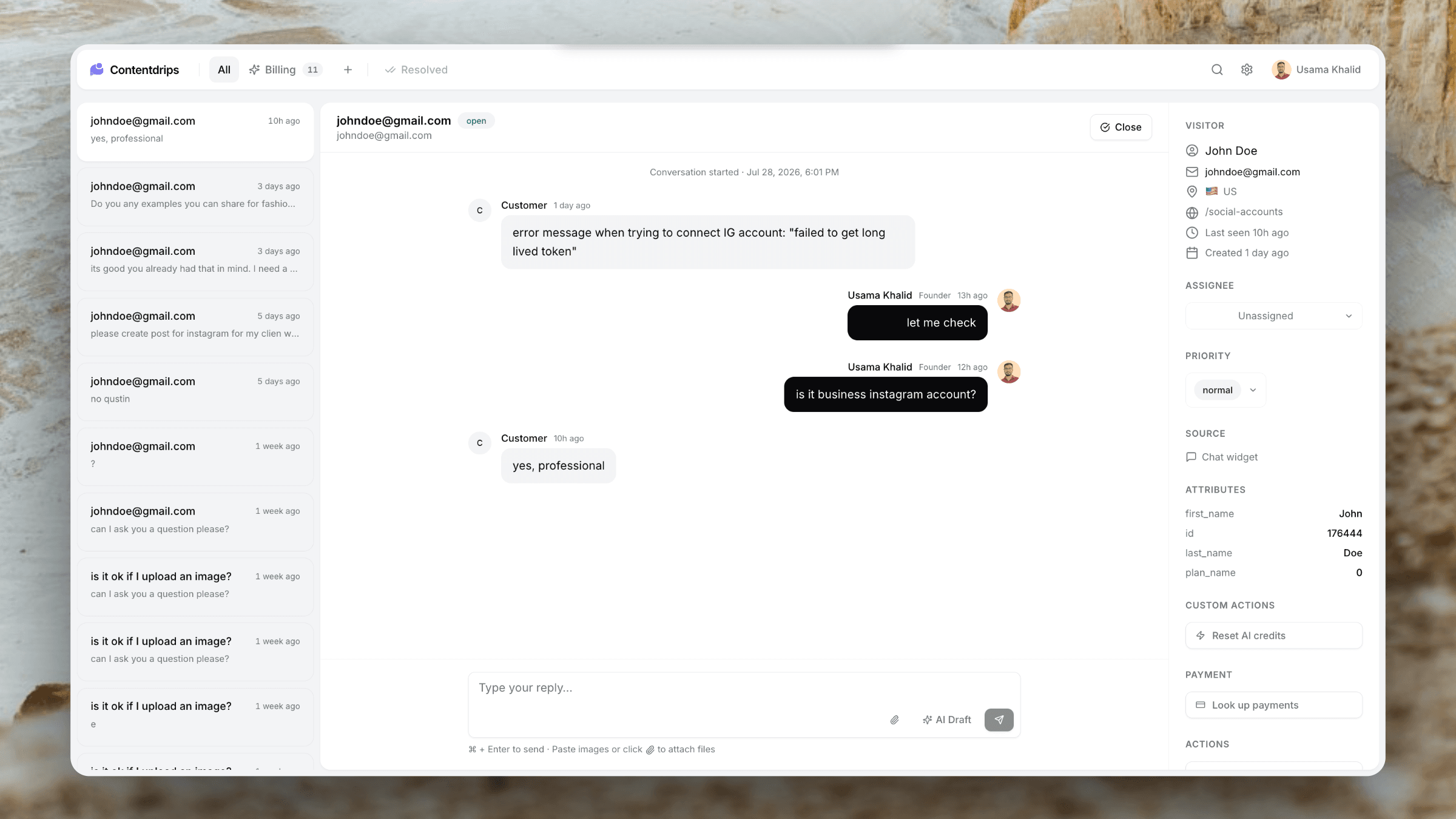
Open a ticket and AI has already read the thread and drafted a reply. Tweak a sentence, hit send, move on. Human judgment stays in the loop — busywork does not.
Included from Starter ($20/mo) · No AI add-on
The workflow
From open ticket to sent reply in seconds.
Drafts use the full conversation — not a generic macro — so you stay accurate and personal.
Customer writes in
Chat, email, or form — the thread lands as a ticket with full history attached.
AI drafts a reply
When you open the ticket (or request a draft), AI proposes a response grounded in the conversation.
You approve and send
Edit freely or send as-is. Customers get a thoughtful reply; you keep control.
Capabilities
Speed with your judgment.
Full-thread context
Drafts consider prior messages so you do not repeat yourself or miss what was already said.
Ready when you are
Spend less time staring at a blank composer. Start from a solid draft every time.
Edit freely
One click to use the draft or rewrite any part. AI assists — it does not auto-send.
No separate AI plan
Draft replies ship with Starter and above. No Fin-style surcharge for writing help.
Works across channels
Draft for chat and email tickets from the same inbox workflow.
Pairs with context
Customer attributes beside the ticket help you personalise before you hit send.
When drafts shine
Keep the human touch. Lose the blank page.
Ideal for
- Repetitive “how do I…” questions
- Billing clarifications after a refund
- Onboarding and setup help
- Solo founders answering after hours
- Teams that want consistency of tone
- High volume without hiring another seat
What it is not
- Not an unattended chatbot that invents policies
- Not auto-sending without your review
- Not locked behind an enterprise AI SKU
- Not a replacement for Custom Actions or refunds
- Not limited to chat-only tickets
- Not trained to replace your product knowledge forever — you still edit
Plus everything else
Drafts sit inside the rest of Userscom.
AI Ticket Organisation
Sorted tabs, then draft and send.
Live Chat
Draft replies to live conversations.
Email Ticketing
Draft email answers in the same UI.
Stripe & Paddle
Handle billing, then draft the reply.
Custom Actions
Fix the account, then write the update.
Shared Team Inbox
Collaborate on drafts as a team.
Frequently asked questions
No. Userscom drafts a reply for you to review. You edit if needed and send. Humans stay in control.
The draft is based on the conversation history on the ticket so the suggestion matches what the customer already said.
AI draft replies are included from the Starter plan at $20/month. They are not available as a separate expensive AI add-on.
Absolutely. The composer works normally. Drafts are there when you want a head start.
Drafts adapt to the specific thread instead of pasting a static macro. You can still write anything you want — AI just reduces blank-page time.
Stop staring at an empty reply box.
Start free, upgrade to Starter when you want AI drafts on every ticket.
AI drafts from $20/mo · Review before send