Team inbox · Assignment · Collaboration
No ticket left unread.
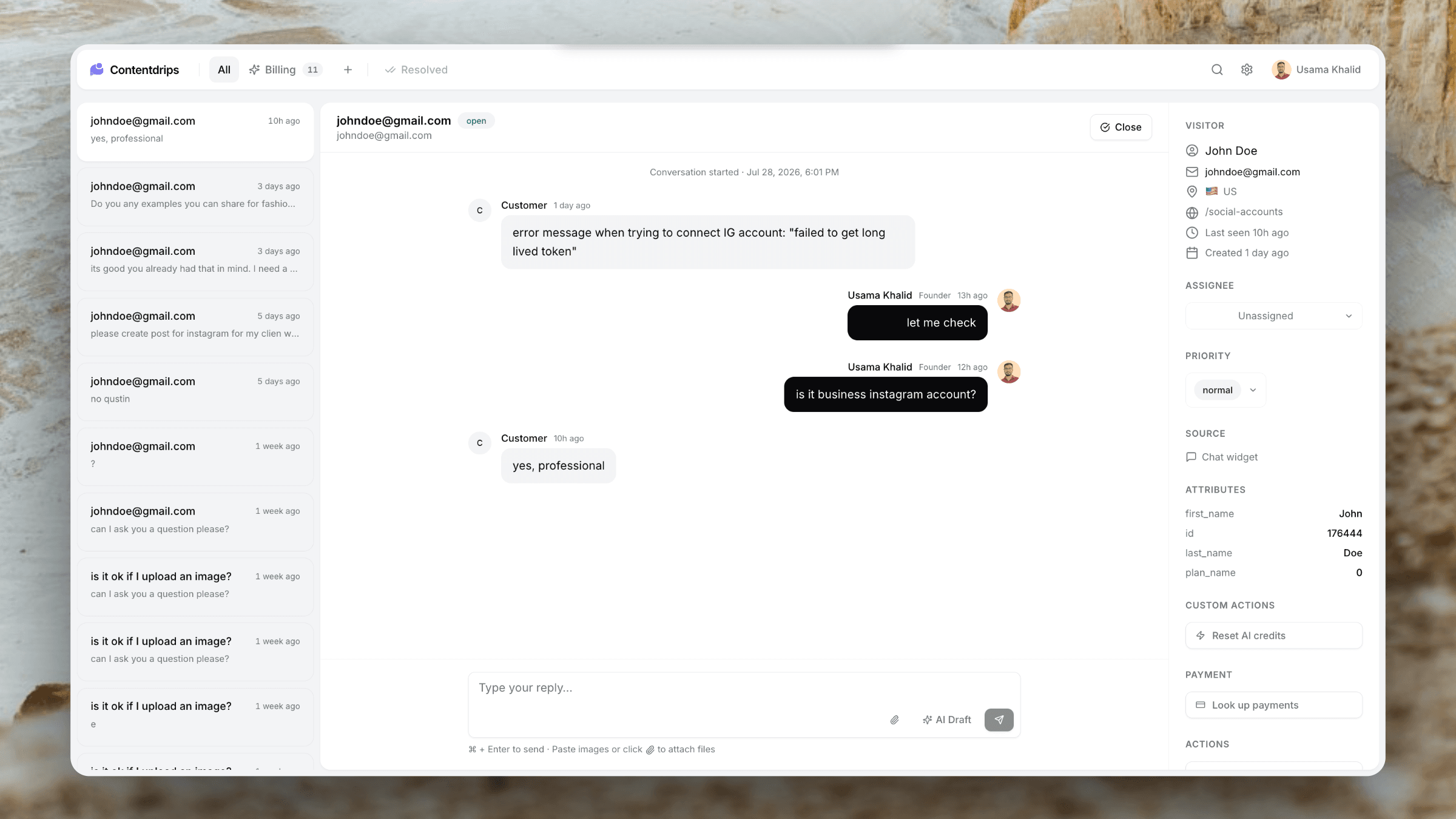
Everyone on your workspace sees the same inbox. Assign conversations, avoid double replies, and keep history in one place — without paying per agent like Intercom or Zendesk.
Starter 2 members · Advance 5 · Pro unlimited
The workflow
From unassigned pile to clear ownership
Tickets land once. Your team decides who owns them — and everyone else can still see the thread.
Ticket hits the shared inbox
Chat, email, or form — one conversation visible to the whole workspace.
Assign the right person
Pick a teammate from the ticket sidebar. Ownership is obvious at a glance.
Resolve together
Reply, use AI drafts, run Custom Actions or billing tools — history stays on the ticket.
Capabilities
Built for teams that hate dropped balls.
One shared inbox
No more forwarding threads between personal Gmail accounts or losing context in Slack.
Assignment
Assign any ticket to a member. Filter and focus on what is yours.
Presence awareness
See who is online and reduce the chance two people answer the same customer at once.
Flat member limits
Plans include a fixed team size — not $55–74 per seat. Advance covers 5 people for $40/mo.
AI for everyone
Organisation and drafts are workspace features, not per-agent licenses.
Same inbox, every channel
Chat and email tickets live side by side so the team never splits tools.
Why teams switch
Support without seat-tax anxiety.
Pain you remove
- Tickets stuck in one person’s inbox
- Two agents replying to the same customer
- No idea who owns a conversation
- Per-seat pricing that punishes growth
- Context lost when someone is on holiday
- Separate tools for chat vs email
What Userscom includes
- Shared ticket list with assignees
- Roles: owner, admin, agent
- Invite teammates from Settings
- AI tabs so work is pre-sorted
- Billing tools and Custom Actions for all agents
- Pro plan for unlimited members
Plus everything else
The inbox is the hub for the whole product.
Frequently asked questions
Yes. All members of a workspace see the same tickets. You can assign conversations so ownership is clear while history stays shared.
Free includes 1 member, Starter 2, Advance 5, and Pro unlimited. Limits are per plan — not multiplied per seat price.
Yes. The full ticket thread is visible to the workspace so handoffs do not lose context.
Owners and admins invite teammates from Settings → Team. Invitees join the org and appear in the assignee list.
Usually yes. Those products charge per agent. Userscom Advance includes 5 members for $40/month total with AI included.
Put the whole team in one inbox.
Invite your co-founder or support hire without opening another seat invoice.
Flat plans · Shared tickets · AI included on paid plans