Setup · Script tag · Identify
Live on your site in under 2 minutes.
Paste one script tag and the widget is live. One JavaScript call to identify users. That is the entire installation — no build step, no sales call, no native SDK for web.
Works on any site that runs JavaScript
The workflow
Two steps. Zero ceremony.
Copy from Settings → Widget, paste into your layout, ship. Identify when you know the user.
Copy the script tag
Your org-specific snippet is waiting in Settings. It points at the Userscom widget CDN.
Paste into your site
Drop it in your root layout, theme footer, or tag manager. Reload — the bubble appears.
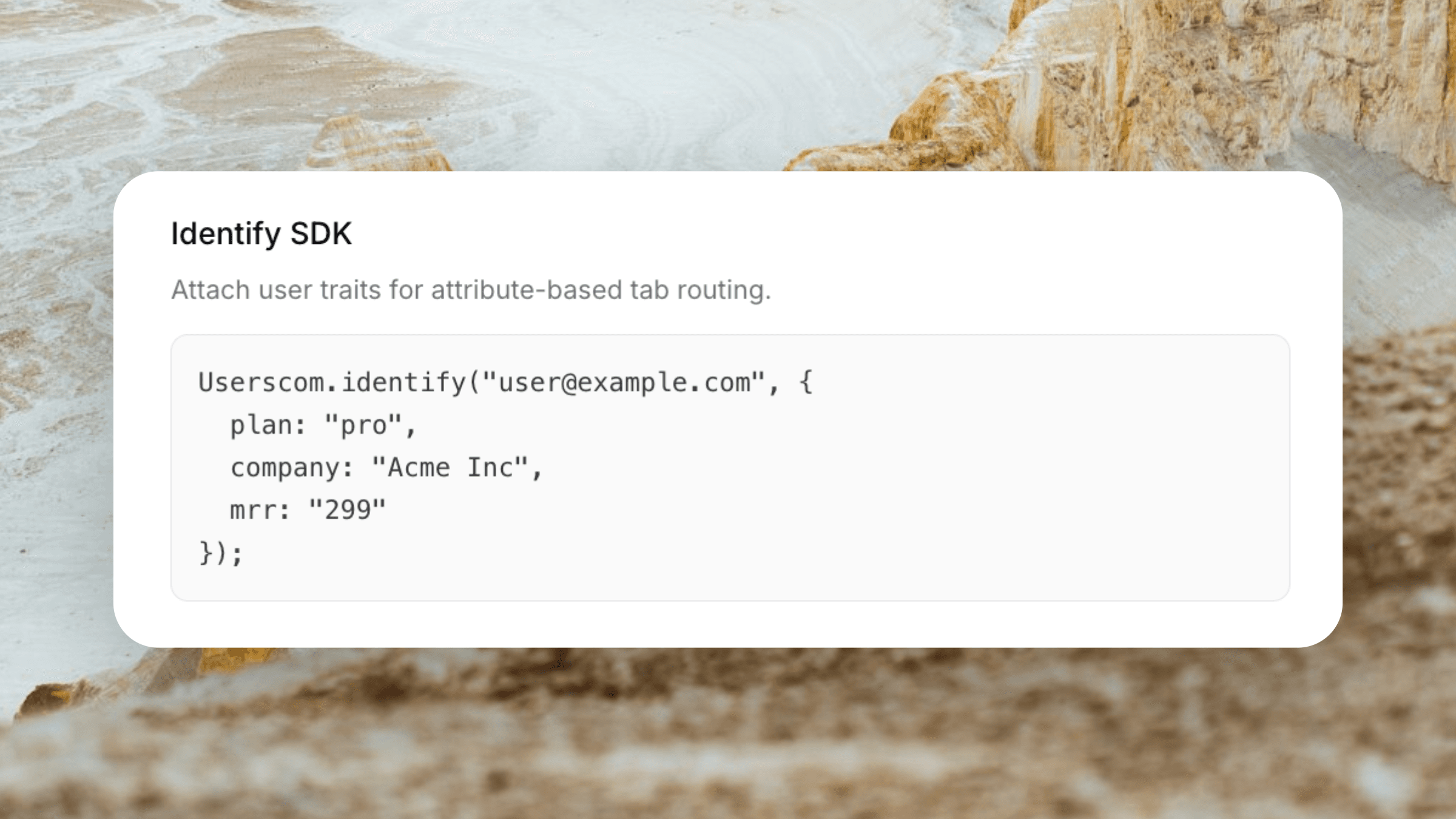
Optional: Identify users
After login, call Identify with email and traits so tickets show full customer context.
Capabilities
Setup that respects your time.
Minutes, not weeks
No implementation project. No mandatory onboarding call. Paste and go.
One script tag
The widget loads asynchronously. Your Core Web Vitals stay intact.
One Identify call
Pass plan, company, and IDs when the user is known — powers sidebar context and actions.
Any JS stack
React, Next.js, Vue, Svelte, Shopify, WordPress, Webflow, Framer, plain HTML.
Configure in the UI
Colour, position, triggered messages, tabs — no redeploy for most settings.
Instant feedback loop
Open your site, send a test chat, see the ticket in the dashboard immediately.
Who this is for
Ship support the same day you sign up.
Perfect if you
- Hate multi-week “implementation”
- Do not want a native mobile SDK for web chat
- Use a static site or marketing page builder
- Need Identify without a CDP project
- Want to test on free before paying
- Already have customers emailing you today
What you will not need
- A solutions engineer on Zoom
- A webpack plugin specific to Userscom
- Rebuilding your auth system
- Per-environment native binaries
- Waiting on an app store review for web chat
- Reading a 40-page integration guide first
Plus everything else
After install, unlock the full product.
Frequently asked questions
Most teams are live in under two minutes: create an account, copy the script tag from Settings → Widget, paste it into your site, and reload.
No. The standard install is a script tag. Works with SPAs and multi-page sites alike.
Call the Identify JavaScript API with the user email and optional traits after login. Attributes then appear on tickets.
The widget is under 30 KB and loads asynchronously so it should not block rendering or hurt Core Web Vitals the way heavier chat suites often do.
Yes. Many teams paste the snippet into GTM or their theme footer. Any method that injects the script on page load works.
Copy. Paste. You are live.
Create a free workspace and grab your snippet — no credit card required.
Under 2 minutes · Under 30 KB · Any JavaScript site